Identify Plant From Photo Online
What plant is this picture? Upload a clear leaf, flower, stem, fruit, bark, or whole-plant photo to identify a plant online, compare likely matches, see common and scientific names, and learn which extra photo can confirm the result without downloading an app.
Identify Plant by Photo in a Few Simple Steps
Upload a clear image and this plant identifier by photo reviews visible traits such as leaf shape, flower structure, color, stem texture, fruit, and growth habit. Results can include likely species matches, family, care details, safety context, and notes about similar plants that may look alike in fast image searches.
Drag & drop your photo here, or click to browse
Supports JPG, PNG, WEBP · Max 10MB
Identifying Your Plant...
This may take a few seconds depending on the image

Monstera
Monstera deliciosa
A popular tropical houseplant often identified from its large green leaves with deep splits and inner fenestrations.
Possible Lookalikes: Rhaphidophora tetrasperma, juvenile monstera plants, and some philodendron varieties can appear similar in quick photo uploads.
Next Step: If you want stronger confirmation, upload a second close-up of one mature leaf and a full view of the plant.
Possible Lookalikes:
Next Step:
How to Identify a Plant From a Photo
Upload a Clear Photo
Choose a focused image that shows the leaf, flower, stem, fruit, or overall shape clearly. A clean photo gives the model more visible features to compare and usually leads to better plant identification from photo results.
Review Likely Matches
The tool compares your image against plant reference patterns and returns likely matches instead of making a hard claim when several plants look similar. This is especially helpful for image search style questions where more than one species can fit the same photo.
Use the Result With Context
After upload, review the common name, scientific name, family, care basics, and safety notes. If the top result still feels close to a lookalike, use the suggested next step and upload a better close-up for stronger confirmation.
What Kind of Plant Photo Works Best?
People searching for a plant identifier by picture usually want a fast answer, but photo quality has a direct effect on how useful the result will be. These simple photo tips help the tool read the most important visual clues.
Use Bright, Even Light
Natural light makes leaf edges, vein patterns, petal shapes, and color differences easier to read. Avoid dark corners, harsh shadows, or heavy filters that flatten the details a plant identifier by photo depends on.
Fill the Frame With the Plant
Keep the plant feature large enough in the image for the tool to focus on the correct subject. If the plant is tiny in a wide yard shot, the result is more likely to be vague than a close image search style upload.
Prioritize Distinctive Parts
Leaves, flowers, fruits, and stems usually provide stronger clues than a distant whole-plant shot alone. If you are identifying a tree from photo, a leaf or seed cluster is often more useful than bark by itself.
Retake Blurry or Busy Photos
A clean background and a sharp subject can improve photo-based plant identification dramatically. If the first upload returns several possible matches, retake the image with less clutter and a closer focus on the plant.
Why this section matters
Most users do not need a botany lesson before they upload a plant photo. They need practical guidance: what to photograph, how close to get, and why a flower close-up, clear leaf image, fruit, bark, or stem detail can work better than a quick distant shot. This page is designed around that real photo-first intent so visitors can move from a picture to a more reliable identification faster.
Example Results From Different Plant Photos
A strong identify plant from photo page should show what the output actually looks like. These examples help set expectations for the kind of names and practical details people can receive after upload.
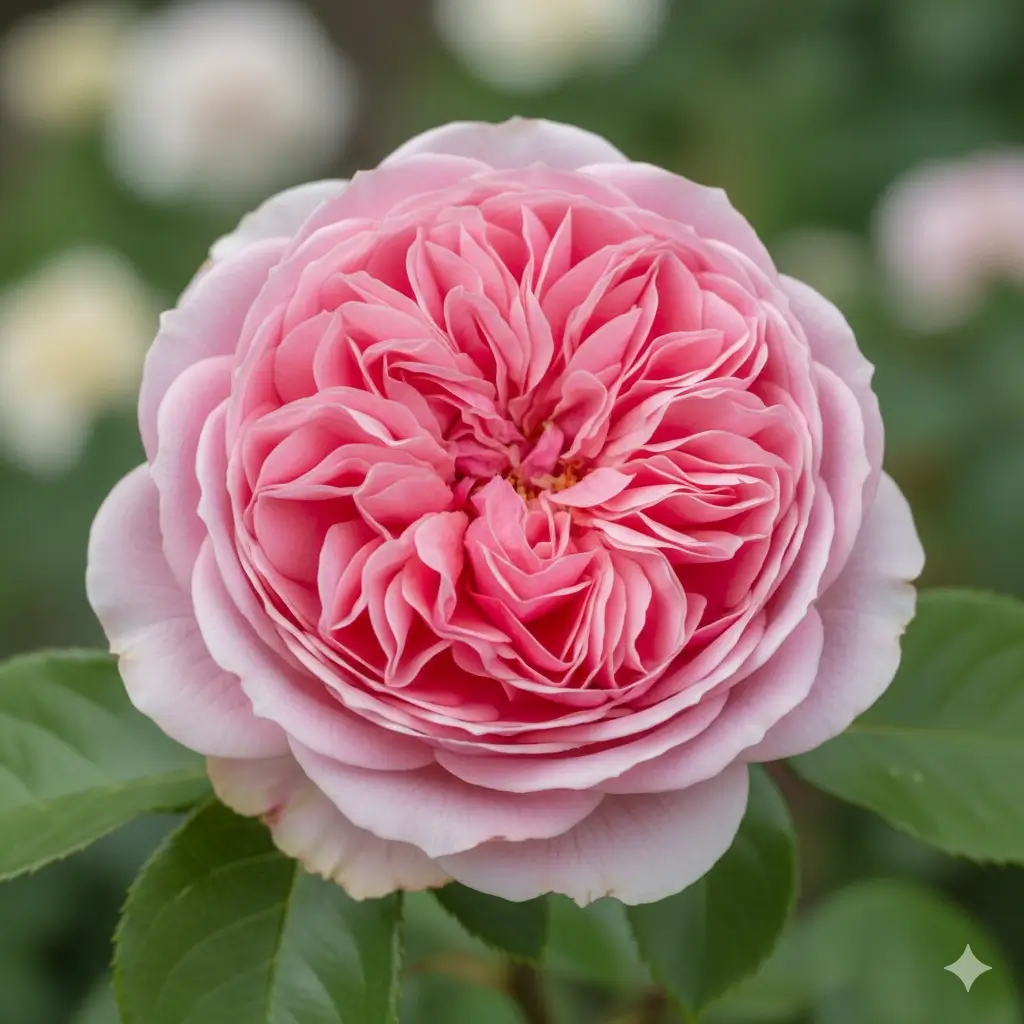
Flower Photo Match

Houseplant Photo Match
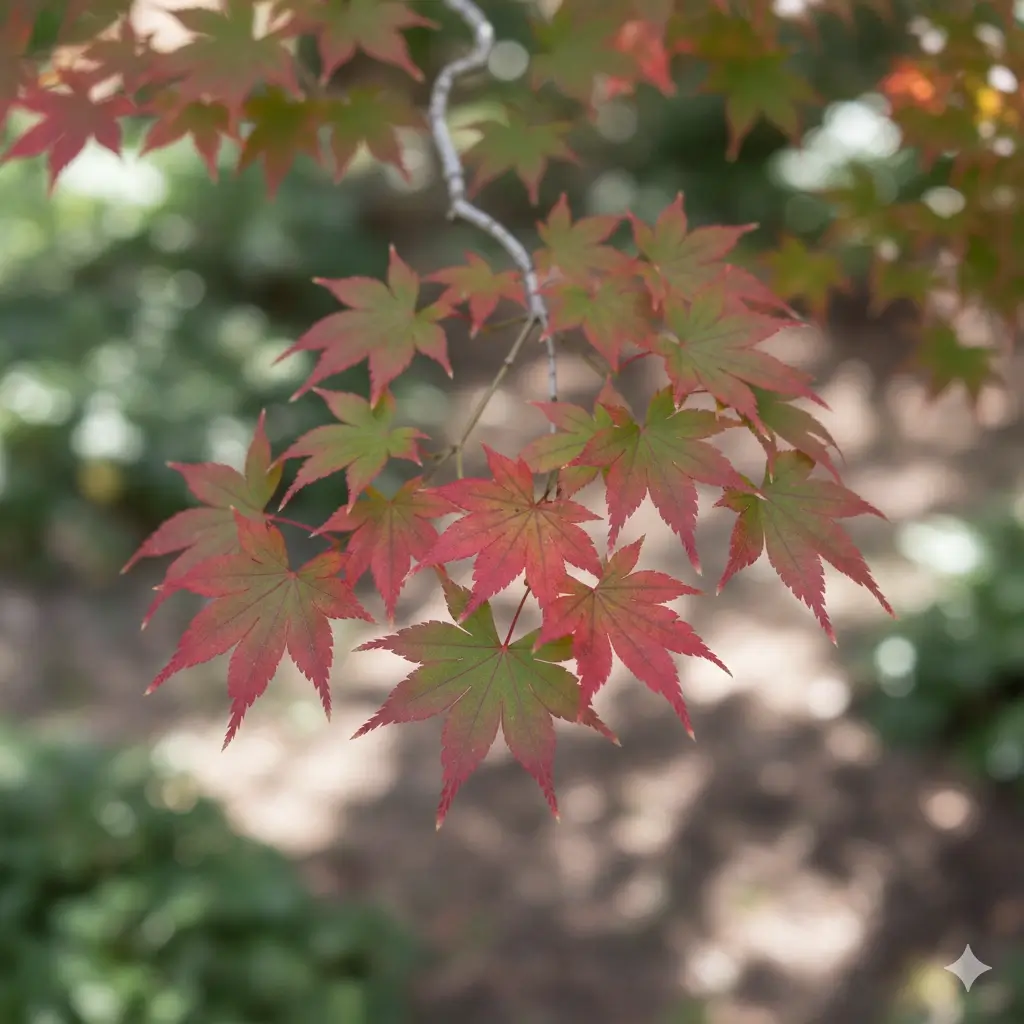
Tree Photo Match
A plant identifier by picture is most useful when it pairs the visual match with enough context to help you act on the result, not just read a name and leave.
Try Your Own PhotoWhat You Get After You Upload a Plant Photo
Common and Scientific Names
A plant identifier by photo should help users move beyond a rough guess. This result format gives readable common naming alongside scientific naming so beginners and plant enthusiasts can both use the output.
Family and Similar Matches
When two plants look close in a single picture, the result can surface related species or lookalikes. That is useful for people starting with a what plant is this image search and needing a narrower shortlist.
Care Basics
After identification, users often want to know what to do next. This page supports that intent by surfacing watering, light, and simple care guidance together with the photo match.
Safety Notes
A helpful result can flag when a plant may deserve extra caution around pets or children. Safety context is especially important when the photo belongs to an unknown houseplant, yard plant, or gift plant.
Why This Match Appears
Users trust results more when the output explains what it noticed in the photo. Notes about leaf splits, petal shape, color pattern, or growth habit make the image-based identification easier to understand.
Browser-Based Access
Some visitors want a plant identifier by picture without downloading an app first. This page keeps the workflow simple by letting people upload from mobile or desktop directly in the browser.
Which Plant Photo Should You Upload First?
A plant identifier by photo works best when the image contains the strongest visible clue. Use this table to choose the right first upload and the best follow-up photo if the result is uncertain.
| Photo input | Best for | Strength | Watch out |
|---|---|---|---|
| Leaf close-up | Houseplants, trees, shrubs, herbs, and many foliage plants | Shows shape, edge, vein pattern, and texture clearly | Some plants need flowers, fruit, or growth habit for confirmation |
| Flower or fruit close-up | Blooming plants, fruiting plants, weeds, and ornamentals | Adds reproductive details that often separate close species | Pair with a leaf photo if the flower alone looks generic |
| Whole plant photo | Garden plants, seedlings, weeds, and unknown outdoor plants | Shows size, branching, posture, and leaf arrangement | Distant photos may be too broad without a close-up |
| Stem, bark, or node detail | Vines, trees, woody shrubs, and lookalikes with similar leaves | Adds texture, node spacing, thorns, bark, and growth clues | Use after a leaf or whole-plant photo, not as the only input |
For most identify plant from photo searches, upload the clearest distinctive feature first, then add a second angle if the likely matches are close.
Why a Plant Photo Can Show More Than One Match
Photo-based plant identification works best when the image shows strong visual clues. Even then, several plants may share similar leaves, flowers, or growth habits, so it is normal for a careful tool to show likely matches instead of a single hard answer every time.
Many Plants Share Similar Shapes
A single photo can hide details that separate one species from another. Similar leaf outlines, color patterns, or bloom forms may produce two or three strong candidates, especially in fast plant image searches.
Close Details Improve Confidence
If your first result includes lookalikes, the next best step is usually a new close-up of the most distinctive feature. A better crop of the leaf edge, flower center, fruit, or stem texture can narrow the result meaningfully.
Use the Result as a Guided Shortlist
The best way to use identify plant from photo results is to compare the top matches with what you see in real life. Treat the response as a shortlist with evidence, then confirm by checking the visible structure and care profile.
Important safety note
Do not rely on one AI photo result alone to decide whether a plant is edible, safe to touch, medicinal, or harmless to pets and children. If the situation is safety-sensitive, use the result as a starting point and verify with qualified local guidance before acting.
Choose a More Specific Plant ID Tool
If your photo focuses on one plant part, a specialized page can give you more targeted guidance before you upload.
Identify Plant From Photo FAQs
Upload a Photo and Identify the Plant Faster
Start with one clear image, review likely matches, and use the result to make better care and safety decisions with more confidence.